Designed to release the list working set when the panel closes, keeping idle memory low even with a large database.
 InfiClip
Clipboard history for macOS
Keep everything you copy. Stay fast while doing it.
InfiClip lives in the menu bar, stores text, images, and files, and opens instantly with a global shortcut. It is built for people who want deep clipboard history without turning a small utility into a memory hog.
14-day free trial$9 lifetime
InfiClip50,000 items
Search history
StarredRelease notes for the performance build
1Text14-day trial, $9 lifetime unlock
2Linkhttps://kellyli.cc
3ImageScreenshot 2026-06-07.png
4Store far more clipboard items than typical lightweight managers, with paginated loading for responsive browsing.
The UI fetches history in focused batches, so opening the panel does not require hydrating the entire archive.
Performance
Built for very large clipboard history
Compared with Maccy-style lightweight managers, InfiClip focuses on keeping memory usage low while allowing a much larger history limit. At 50,000 history records, it stays below 60 MB while running in the background.
Lazy list loadingImage and RTF preview cleanupPassive background cacheCore Data SQLite storage
Features
Everything expected from a serious clipboard manager
Text, images, and files
Capture the clipboard formats you actually use, including rich text and multi-format image data.
Fast search
Search across the local history database and jump back to the exact snippet, link, file, or image you need.
Keyboard-first workflow
Open with a global hotkey, navigate with arrow keys, and paste the first nine results with number shortcuts.
Instant previews
Hover an item to preview long text, rich text, images, and file lists before you paste.
Plain text paste
Strip formatting on demand or keep plain text mode enabled when you want clean output everywhere.
Starred history
Pin important items, filter to starred entries, and clear ordinary history without losing saved clips.
Capture controls
Pause capture, choose content types, ignore selected apps, skip Universal Clipboard, and avoid password manager content.
Actions
Actions turn clipboard text into workflows
InfiClip includes ready-to-use actions like uppercase, lowercase, QR code generation, trimming whitespace, merging paragraphs, and text statistics. Add your own Shell or AppleScript action, assign a shortcut, and run it directly from the clipboard panel.
Built-in ActionsCustom Shell and AppleScript
Trim whitespace1
Generate QR code2
Merge paragraphs3
Text statistics4
echo "$INPUT" | sed 's/[[:space:]]\+/ /g'Demo
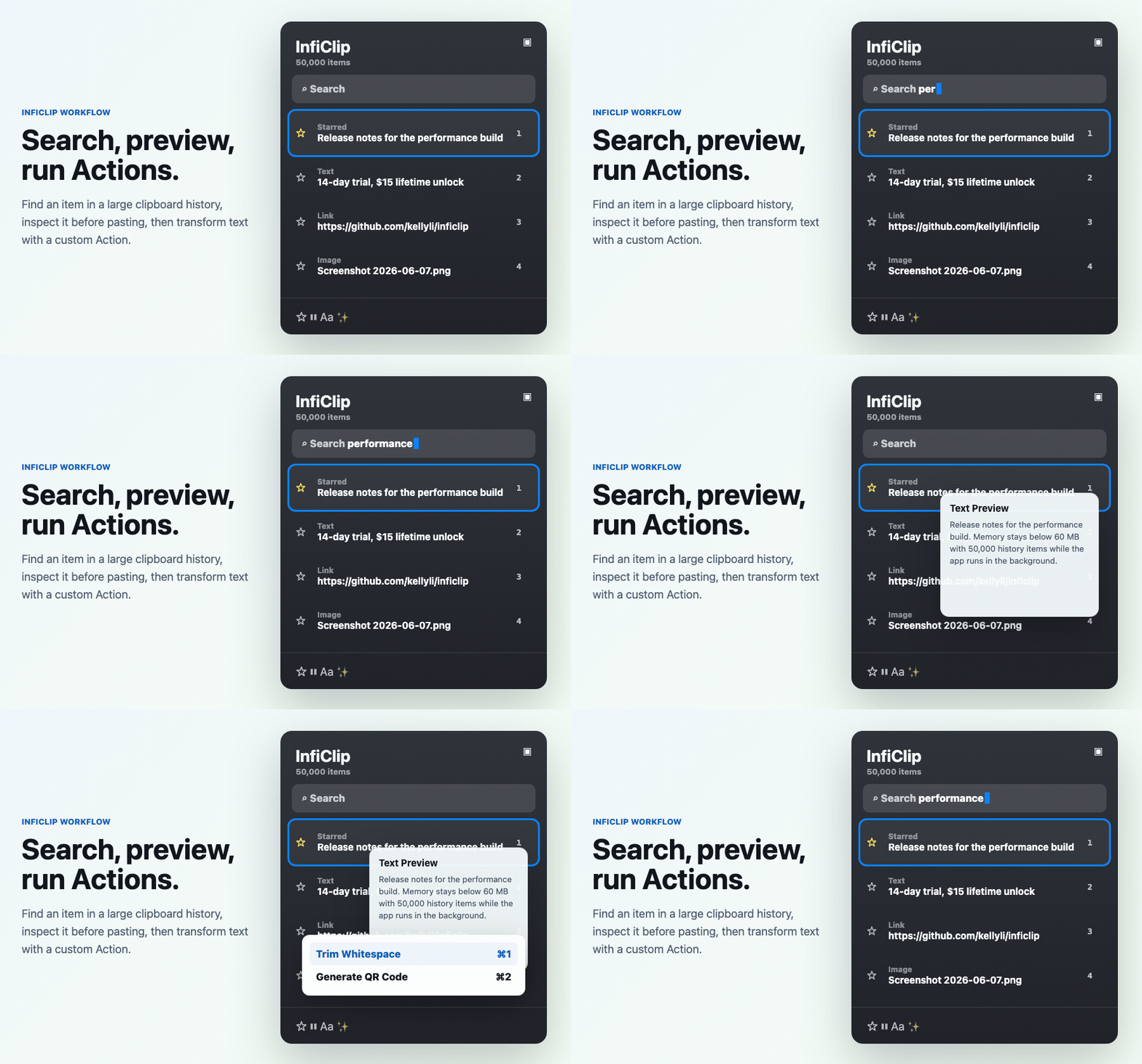
Search, preview, and act without leaving the keyboard
Open the panel, narrow history with search, preview the item, then paste or run an Action directly.
Privacy
Local-first by default
Clipboard history is stored locally in the app's Core Data SQLite database. InfiClip runs sandboxed, does not require cloud sync, and gives you controls to avoid sensitive sources.
Local storage under Application Support
No account required for basic clipboard history
Password manager and app exclusion controls
Launch-at-login and menu bar controls
Download
Try it free, keep it forever
InfiClip includes a 14-day free trial. After that, unlock lifetime use with a one-time $9 purchase.
14-day free trial0
$9 lifetime$9